

hero-gradient-scaled-e1751032202456

WordPress Migration Made Simple

hero-icon

WordPress Migration
Made Simple.

Introduction

What if one simple shift could turn your slow, clunky website into a growth engine for your business? Migrating your site to WordPress streamlines and updates your online hub, helping you attract more people to your website and keep them there. We make the transition easy and hassle-free, with end-to-end migration solutions tailored to your business. Let us show you what’s possible with a faster, smoother, more effective website.

image
how-we-help
How we help

Why Wordpress

7 reasons why business owners love WordPress

01

Next-level results

It simply works. With the right setup and integration, WordPress gives visitors to your site a smooth, engaging experience that will encourage them to keep coming back (and spending money).


02

Beginner-friendly

A simple dashboard and drag-and-drop tools allow anyone (even tech newbies) to manage the site with ease.

03

No custom coding

WordPress offers thousands of plugins and themes, making it easy to customise your site without paying for expensive professional designers.

04

Customer magnet

The platform was built with search engines in mind and works with most SEO plugins, connecting you with the people who are looking for what you offer.

05

E-commerce ready

WordPress integrates seamlessly with WooCommerce to manage and automate your online store.

06

Hands-on support

Reach out for help anytime, anywhere with GoDaddy’s 24/7/365 support and a global community of site owners and developers.

07

Safety and security

It’s easy to install your own updates and security improvements without breaking your site or losing content.

gradient-background
43 %
icon

Did you know? 43% of users will abandon a website that takes longer than three seconds to load1. If your site is slow, it could be costing you customers.

  1. Source: https://www.aberdeen.com/techpro-essentials/gone-in-three-seconds-your-customers-have-no-patience-for-a-slow-website/

Why Migrate?

Say goodbye to clunky, confusing,
outdated systems

We won’t beat around the bush– we believe WordPress is the best CMS for business owners, and we’re not afraid to say so. If your current software is making you want to tear your hair out (or become a hermit and quit the Internet for good), you’re not alone.

There’s a better option available– and you 
don’t have to handle the integration yourself. Here’s how WordPress stacks up alongside some other popular systems:

Content Management System (CMS)

Potential Downsides

Why Switch to WordPress?

Wix

  • Limited customisation options
  • Closed system
  • Full control and flexibility over every aspect of site designa

Webflow

  • Expensive
  • Developer-centred
  • Easy content updates
  • Minimal, DIY-friendly site maintenance

Joomla

  • Outdated user experience (UX)
  • Complex and confusing backend
  • Modern, user-friendly dashboard

Drupal

  • Developer-heavy
  • Steep learning curve
  • Easy editing
  • Plugins handle complex functions

Typo3

  • Complex structure
  • Simple interface
  • Intuitive site management

Seamless Migration

Seamless, stress-free migration

So you’re ready to switch to WordPress… but you don’t want to waste hours trying to move your website content over to a different hosting platform. After all, you’ve got a business to run.

That’s where we come in.

Seamless-Migration

We offer customised full-service migrations, which means we take care of absolutely every detail. All you need to do is sit back and enjoy the benefits of a higher-performing website. Whether you’re outgrowing a platform with limited features, looking for scalable solutions, or frustrated with your current (outdated) system, we can help.

Let’s join forces to create the website that powers your company’s goals.

Download migration guide

Why Wordpress

How it works

Our bespoke five-step process will transform your website from “clunky and confusing” to “WordPress powerhouse”.

01
Step One: Audit
We start with a full-scale audit of your current CMS, including a comprehensive map of all website content. Don’t worry if your site is disorganised or messy– leave the untangling to us!
02
Step Two: Migration
We migrate your existing website (including content, users, SEO data, and media assets) to the WordPress platform.
03
Step Three: Theme
We redesign or replicate your website’s theme to ensure your online space is both functional and aesthetic.
04
Step Four: Plugins
We set up and optimise all your chosen plugins so you have the tools you need ready at your fingertips.
05
Step Five: Testing
Once your new site is live, we perform testing, performance tuning and launch support. If you have questions, reach out anytime– our friendly and helpful team is just an email away!
Download migration guide

Professional Migration

Why choose professional migration?

Professional migration doesn’t just take an overwhelming, time-sucking task off your hands. It also ensures that nothing gets lost in transition and the final product works flawlessly.

With our professional migration services, you can expect:

1:1 Content Migration

of text, images, users, media, etc.

301 Redirects

for SEO continuity

Optimised, Mobile-Friendly Design

to help your company reach the right people

Top-Notch Security and Performance

so your business never misses a beat

Sounds great…
so what’s the catch?

There’s no catch, but there are some potential downsides that we manage with proper execution. Depending on the complexity of your specific site, the migration can take time and certain features may require rebuilding. It’s also essential to carefully preserve the original URL and SEO structure (another great reason to partner with an expert for your site migration!).

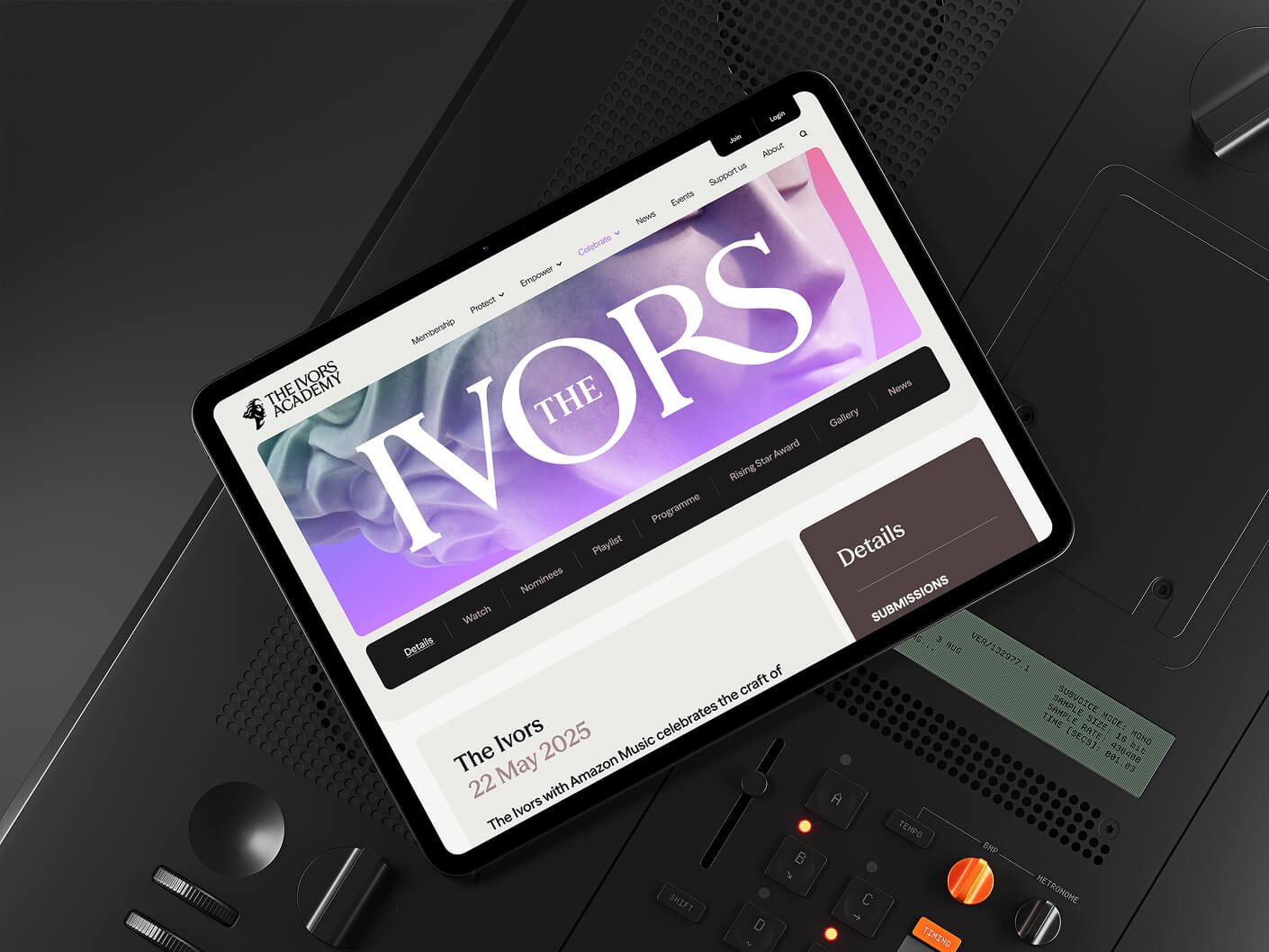
the-ivors

Case Study

the-invors-academy

How we helped this nonprofit grow their reach

Introduction

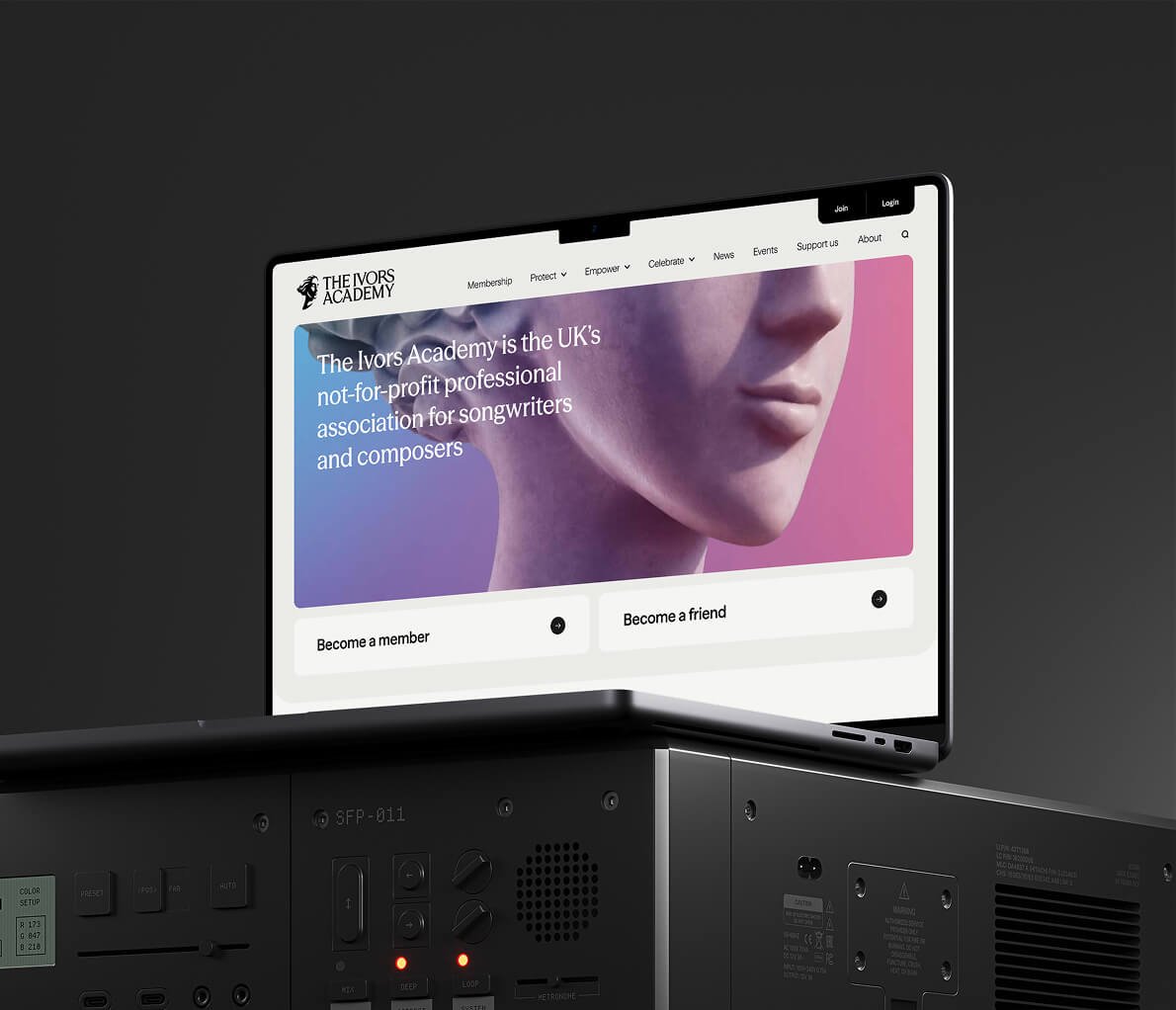
When The Ivors Academy, an advocacy organisation for songwriters and composers, came to us, they had a goal to secure the future of music– and a website that just wasn’t getting the job done. It had 49 plugins, most of which were unnecessary and only served to slow the site down. There were tons of poorly organised, redundant and outdated pages. The backend interface was clunky and hard to use (which made cleaning up the site nearly impossible).

Bottom line: their website had way too much going on, and it was hurting the user experience. That meant that site visitors were quickly bouncing instead of staying on the page and engaging with the brand’s mission.

We took a three-pronged approach to helping this visionary nonprofit build a better website with WordPress migration: Simplify, Streamline, and Systematise.

Image-1

Simplify

  • As part of the migration process, we reduced the website size from a bloated 20 GB to just 2 GB, resulting in faster load times and easier backups.
  • We conducted selective content migration, getting rid of outdated data and restructuring custom post types. (Many clients opt for total content migration, but in this case a clean-up was needed.)
  • Finally, we simplified the backend workflow so that the client could efficiently manage their site content with an intuitive, easy-to-use interface.
image-2

Streamline

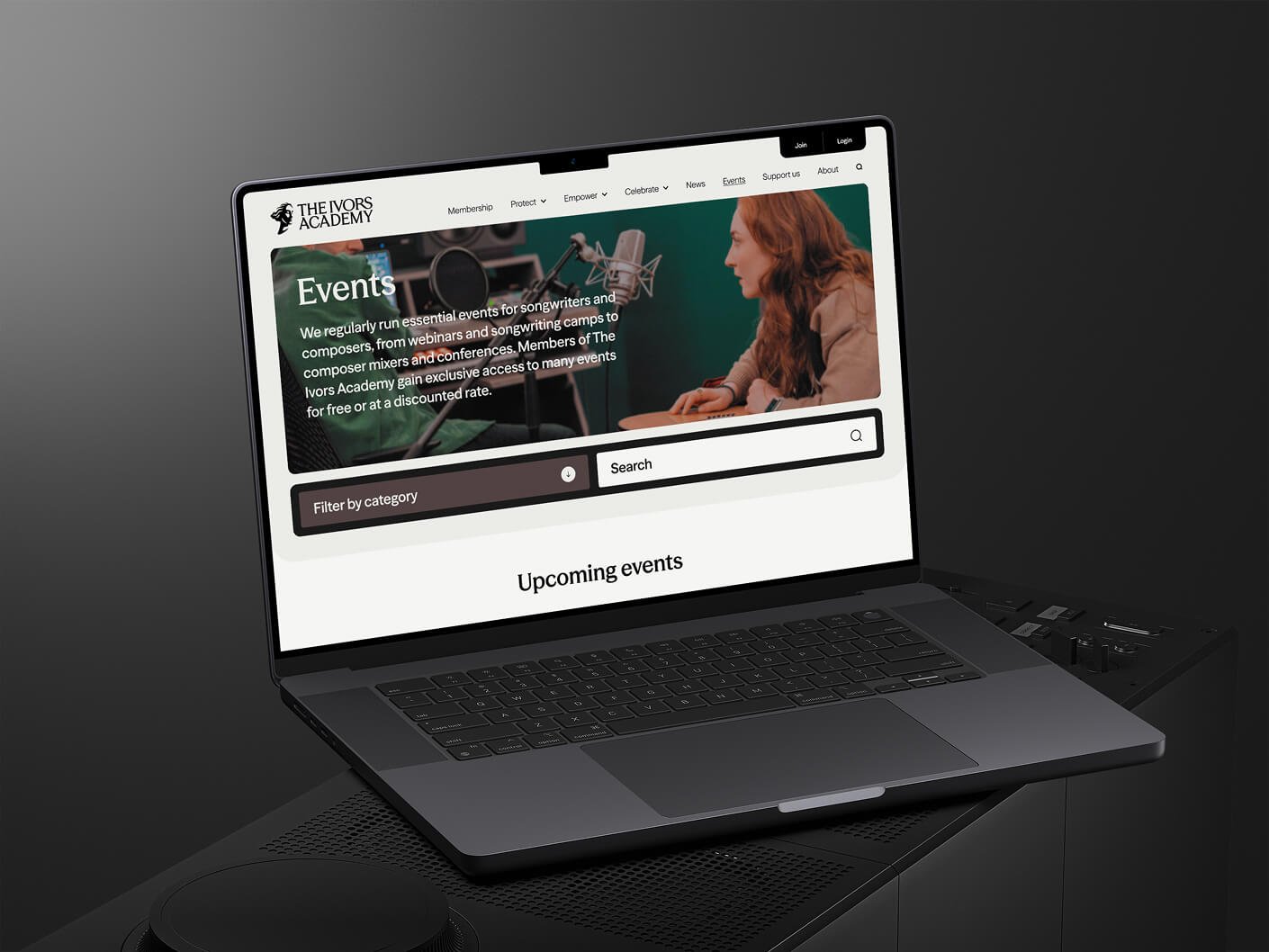
  • We went from 49 random plugins to 12 essential, carefully selected tools. This single change enhanced site performance and security while reducing maintenance needs.
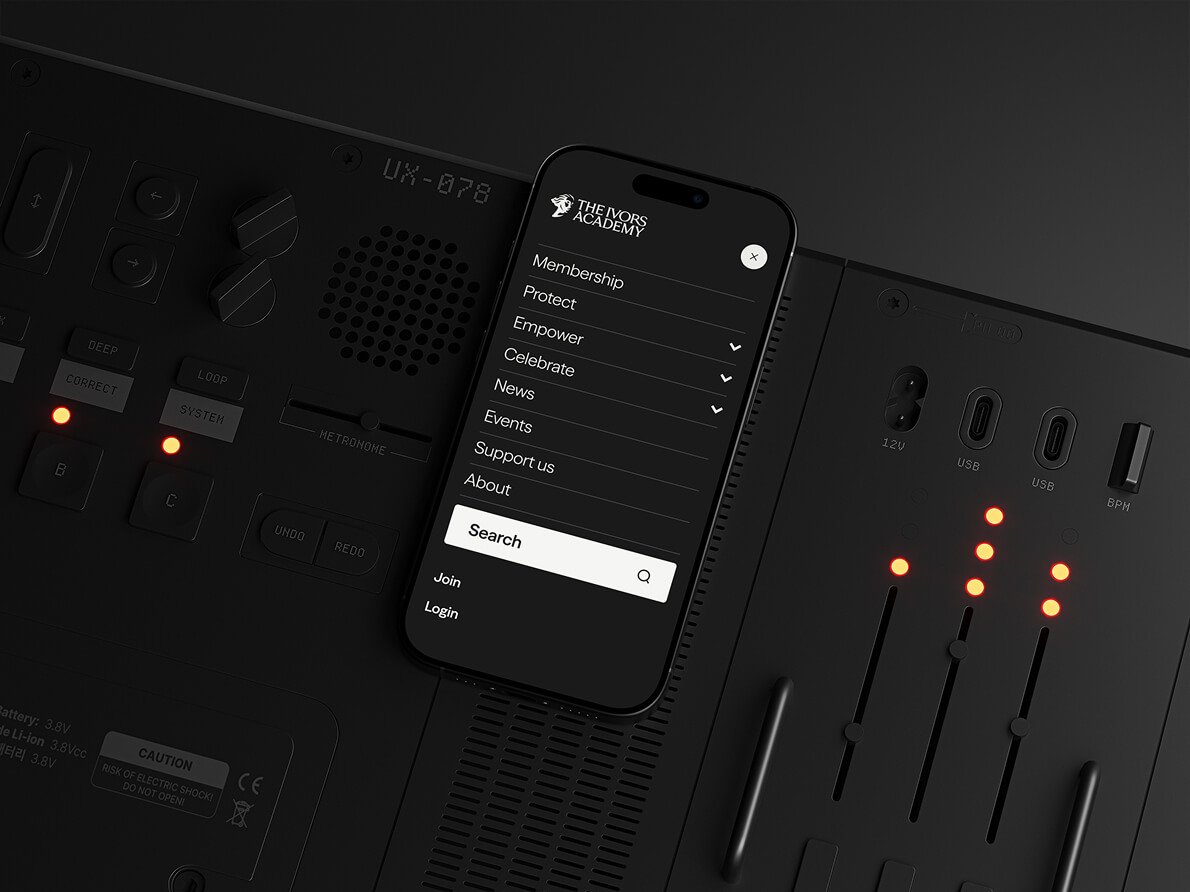
  • We built a streamlined and coherent page hierarchy so that users could find the content they wanted without getting lost in the weeds.
  • To help keep people engaged, we upgraded to a more modern, visually appealing and intuitive site design.
Image-3

Systematise

  • We removed unneeded links and systematically reorganised the links with proper redirects to support the user journeys.
  • To attract more site visitors, we put SEO best practices and performance enhancements in place.
image-4

Results

The result? Stronger community engagement, positive feedback from key stakeholders, measurable growth in new members, more site traffic and increased time on site – all with minimal added work for the client.

Download migration guide

Case Studies

View all